It is 12:15 p.m. at a crowded Saturday food festival. The lunch line is finally moving, the grill is hot, and your best-selling combo is disappearing faster than you expected. Then the internet connection drops.
Your card reader starts spinning. One customer is trying to change an order, another is asking whether the QR menu still works, and the cook has just made two meals from tickets that were entered incorrectly. The problem is not the food. It is the system connecting the customer, cashier, kitchen, and payment.
This is why choosing a food trailer POS system is not the same as buying a simple card reader. A good system must work in a small space, survive busy service, handle an unreliable connection, and remain easy enough for a temporary employee to learn quickly.
At ZZKNOWN, we design mobile kitchens for buyers serving coffee, burgers, pizza, desserts, and many other menus. We do not sell POS software, so this guide is not a sponsored ranking. Our goal is simpler: help you choose the right system and plan the trailer around it before production begins.
If you want the quick version, start with your operating style:
There is no universal winner. The best POS for food trucks or trailers is the one that continues working during your busiest hour, fits your country and payment processor, and supports the way your team actually prepares and hands off food.
A card reader answers only one question: “How will the customer pay?” A modern POS should also help answer: “What did they order, where should the ticket go, what has sold out, and what should we prepare next?”
That matters because a mobile kitchen compresses the entire restaurant into a narrow workspace. When an order is entered incorrectly, the mistake travels straight to the cook. When online orders do not appear in the same queue as counter orders, staff must watch several screens. When the system cannot mark an item sold out, customers can buy food you no longer have.
The right mobile food business software brings payments, order flow, menu updates, sales reporting, and customer communication into one manageable process. It does not replace good staff or a sensible kitchen layout. It gives both of them a cleaner operating system.
Food trailers face different conditions from fixed restaurants. Before comparing brands, make these features your non-negotiable checklist.
The 2025 Ipsos Channel Check-In study involved 1,700 U.S. adults who had recently used a quick-service restaurant app, plus 2,891 mystery-shop evaluations. It found that repeat digital ordering was strongly connected to saving time, preserving the same customization options available in person, and offering useful promotions. In plain English: customers return to digital ordering when it is convenient and does not take away control.
| System | Published Starting Software Price* | Offline Capability | Digital Ordering | Best Fit |
|---|---|---|---|---|
| Square | $0/month plan | Supported on eligible devices, with limits | Online and QR ordering options | New and seasonal trailers |
| Toast | $0/month starter option | Restaurant-focused offline mode | Integrated options and add-ons | High-volume foodservice |
| Clover | Contact sales; plans vary | Depends on setup and services | Online menu and QR options | Flexible hardware choices |
| Lightspeed | From $69/month | Offline mode listed | Available by plan or add-on | Analytics and growth |
| TouchBistro | From $69/month | Confirm current configuration | Commission-free online ordering option | iPad-based foodservice |
*Prices and features were checked on official U.S. provider pages in July 2026. Hardware, payment processing, add-ons, eligibility, promotions, and contracts may change. Ask each provider for a written quote based on your location and sales volume.
For many first-time U.S. operators, Square is easy to understand because it offers a $0 monthly restaurant plan, phone-based payment options, compact hardware, and a familiar dashboard. Square also supports online ordering, QR ordering, and offline payments on eligible devices.
The important detail is that “offline” does not mean unlimited protection. Square states that offline transactions must reconnect within its specified time window, and some payment methods and older devices are not supported. You remain responsible for payments later declined. Square is therefore a good starting point, but you still need a cellular backup plan.
Toast is built specifically around foodservice. Its ecosystem can connect the counter, online orders, kitchen display, reporting, and restaurant-grade hardware. The company even recommends a hardware bundle for food trucks, which makes Toast relevant when your trailer behaves more like a compact quick-service restaurant than a weekend side business.
That integration can be valuable, but it also means reviewing hardware requirements, payment processing, implementation, add-ons, and contract terms carefully. Toast says its services run on approved hardware. Ask for a complete quote rather than comparing only the starter subscription.
Clover offers devices ranging from compact readers and handheld terminals to full stations, plus an app marketplace for additional business tools. Its restaurant packages can include QR order-and-pay, online menus, pickup and delivery orders, stock controls, and reporting.
The tradeoff is that pricing and terms may differ depending on whether you buy from Clover Direct or a financial institution partner. Clover hardware is tied to its payment ecosystem. Read the processing agreement, cancellation terms, and hardware ownership details before committing.
Lightspeed Restaurant publishes plans beginning at $69 per month and emphasizes menu control, offline mode, consolidated order management, and detailed reporting. It may make sense for an operator who wants to compare several locations, analyze item performance, or expand from one trailer into a larger hospitality business.
Some digital-ordering and delivery features depend on the selected plan or add-ons. A small trailer with a simple menu may not need every advanced tool, so compare the cost of the complete configuration against the reporting value you will actually use.
TouchBistro focuses on restaurants and lists POS software starting at $69 per month. It includes foodservice features such as menu management, staff controls, and reporting, with online ordering available as part of its broader platform.
An iPad-centered setup can feel familiar and save counter space. Before choosing it for a moving trailer, confirm payment availability in your market, the supported hardware, offline behavior, data connectivity, and the full price of any online ordering or customer-engagement tools.
A system popular in the United States may not process payments in your country. Even when the brand operates internationally, its hardware, software features, prices, currencies, tax settings, and banking partners can differ.
Before buying, confirm the provider supports your business registration country, bank account, preferred card networks, local tax or VAT rules, tipping practices, language, currency, receipts, and privacy obligations. Ask whether replacement hardware can be shipped locally. If none of the five systems fits your market, use the feature checklist in this guide to evaluate a reputable local provider.
The trailer itself should also match local voltage and plug standards. ZZKNOWN can plan the electrical and service layout of a custom food trailer around the confirmed equipment list, but your payment account and regulatory obligations remain between you, the POS provider, your bank, and local authorities.
Use both when practical. QR ordering can help during a rush, let customers browse modifiers, and move some ordering away from the service window. A cashier remains important for customers who prefer human service, need accessibility help, want to pay cash, or do not want to use a phone.
The 2026 DoorDash Restaurant Industry Trends Report surveyed 3,001 U.S. consumers and 509 restaurant operators. It found that 64% of consumers would prefer one app for delivery, pickup, and reservations, while 59% actively seek allergen and dietary information or welcome it when ordering. That supports a useful lesson for mobile businesses: digital convenience is stronger when the menu is complete, consistent, and informative.
Practical rule: Let QR ordering shorten the line, not become a new barrier. Keep a visible staffed ordering option and make sure both channels feed the same kitchen queue.
When buyers discuss a kitchen, they naturally focus on grills, fryers, refrigerators, sinks, and exhaust hoods. The POS is often added at the end. In our experience at ZZKNOWN, that is when avoidable problems appear.
A terminal needs a secure location that does not block the serving window. A receipt printer needs dry counter space and paper access. A kitchen screen must be readable without sitting above steam or direct heat. Routers, charging docks, and cellular devices need protected power and organized cables. If a customer-facing screen is planned, its angle should not force the customer to reach across a hot handoff area.
We recommend confirming device dimensions, voltage, wattage, ports, printer connections, and network equipment before final drawings. On a custom coffee trailer, for example, the POS should not compete with the espresso machine, cup storage, or drink pickup zone. In a burger trailer, the cashier should not cross the cook’s path every time an order is handed out.
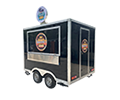
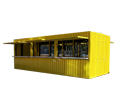
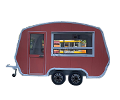
If appearance is part of the customer experience, a retro food trailer can still hide modern cables and network equipment behind a clean service counter. For larger fixed operations, the same planning applies to shipping container cafés.
| Decision | What to Confirm | Why It Matters |
|---|---|---|
| Order point | Counter position and customer reach | Prevents congestion at pickup |
| Power | Voltage, outlets, USB charging, backup | Keeps devices powered safely |
| Network | Primary Wi-Fi, cellular backup, router location | Reduces lost service time |
| Kitchen routing | Printer or KDS placement | Keeps tickets visible and dry |
| Security | Mounts, closing storage, cable access | Protects mobile equipment |
Share this information during OEM/ODM trailer customization, not after the counters and wiring have been completed.
Small businesses are not exempt from payment security. The PCI Security Standards Council states that PCI DSS is intended for merchants regardless of size or transaction volume. Use provider-approved hardware, keep operating systems and POS apps updated, enable strong passwords and multi-factor authentication, limit employee permissions, and never store card numbers in notes or spreadsheets.
Inspect payment terminals at the start of each shift, especially after public events. Secure handheld devices when they are not in use. Use a separate staff network when possible instead of sharing the POS connection with public Wi-Fi.
QR codes need physical protection too. The U.S. Federal Trade Commission warns that scammers can cover a legitimate QR code with one that sends users to a fake site. Print your business name and a short, recognizable web address beside the code, inspect signs daily, and teach staff to replace damaged or altered cards immediately.
There is no reliable public count covering every food trailer. Square is a common starting option in the United States, while Toast, Clover, Lightspeed, TouchBistro, and regional providers serve different operating needs.
Some systems can accept eligible offline payments, but limitations differ by device, payment type, and reconnection window. Online orders and loyalty functions may stop even when card payments continue.
Software can begin at $0 per month, but total cost also includes processing fees, hardware, printers or displays, cellular service, add-ons, and possible contracts. Request a complete written quote.
Some providers support tap-to-pay on compatible phones. It can be useful for a very small startup or as a backup, but confirm offline limits, battery life, receipt needs, and whether the phone must also handle business calls.
Not always. A simple menu and one cook may work well with a receipt printer. A KDS becomes more helpful when several order channels or preparation stations must share one queue.
No. A hybrid system serves more people. Offer QR ordering for speed while keeping a staffed option for cash, questions, accessibility needs, or customers who prefer not to use a phone.
Many integrated systems can combine them, but you should test the exact configuration. Separate queues create missed tickets and force staff to monitor multiple devices.
Most operators need a terminal or handheld, a secure mount, charging power, a receipt or kitchen printer if used, and primary plus backup connectivity. High-volume trailers may add a KDS or customer display.
Choose the hardware before the final trailer drawing. Exact dimensions, power, cable, printer, and screen requirements affect the counter, outlets, storage, and staff workflow.
Use the same selection checklist with a trusted local provider. Prioritize legal payment processing, local bank support, tax settings, reliable hardware service, offline behavior, and integration with your ordering channels.
Choose the service flow before choosing the screen. Decide where customers order, where staff read tickets, where food is handed out, and what happens when the connection fails. Then select the POS that supports that workflow and give its specifications to your trailer designer.
ZZKNOWN can help turn that equipment list into a practical mobile-kitchen layout, including counter space, outlets, lighting, storage, and cable planning. Explore more food trailer buying guides, or contact ZZKNOWN with your target market, menu, preferred POS hardware, and daily service plan.